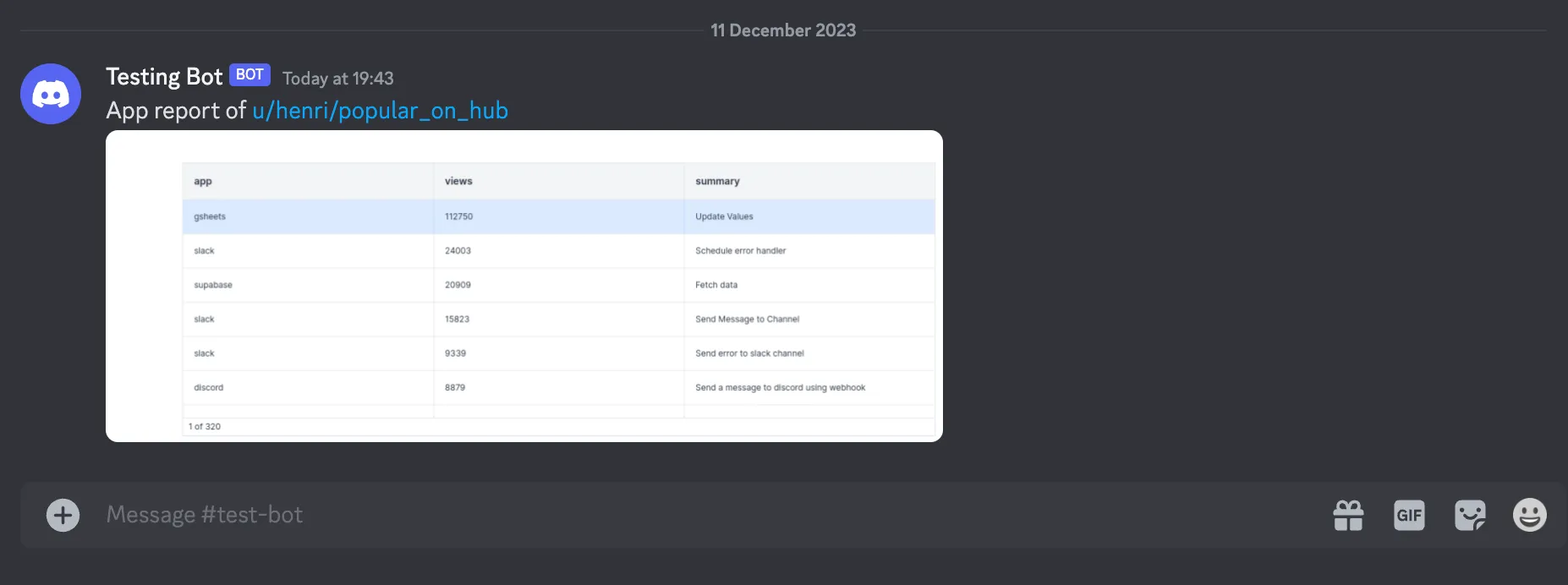
Schedule App Reports
Send a PDF or PNG preview of any app at a given schedule. Enabling this feature will create a flow and a schedule in your workspace.
For the flow to be executed, you need to set the WORKER_GROUP environment variable of one of your workers to "reports" or add the tag "chromium" to one of your worker groups.
Startup duration in seconds
Startup duration is the number of seconds to wait before capturing a preview to ensure that all startup scripts have been executed.
It can be defined manually.
Screenshot kind
Whether you want the screenshot to be in pdf or png (useful for previews).
Notification
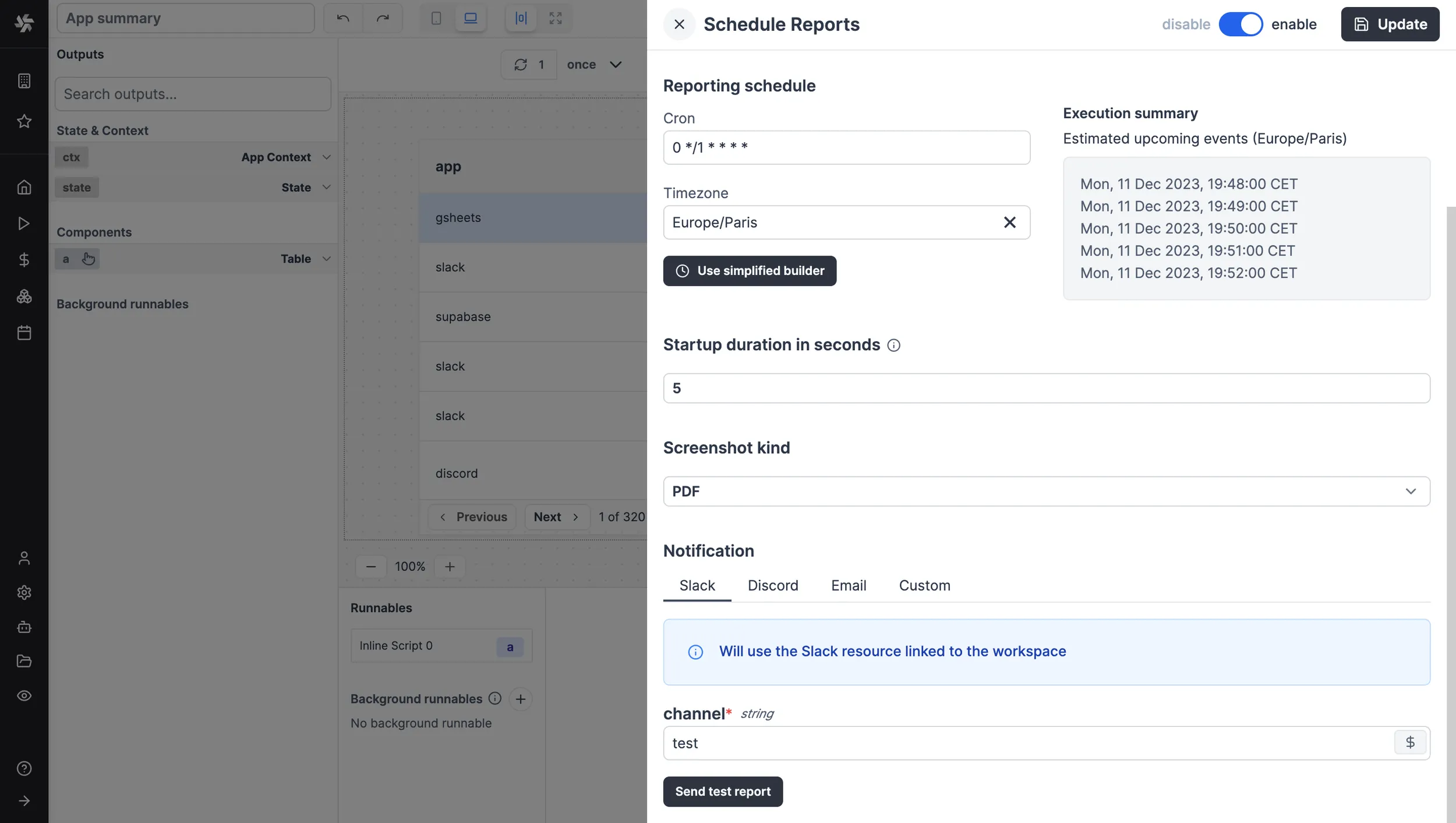
Reports will be sent through a dedicated medium. Under Cloud and Self-Hosted Enterprise plans, screenshots can be sent through pre-set scripts to Slack (on your workspace's chosen Slack resource), Discord, or Email (SMTP). Otherwise, you can pick a custom script to handle the report.